How players sign up for text reminders
Club Sport is operated by LogiForge, LLC. A club's manager adds its players, who sign in with a link emailed to them; there is no public sign-up. Text message reminders are optional and stay off until a player turns them on, on their Profile page, as shown below.
Signing up
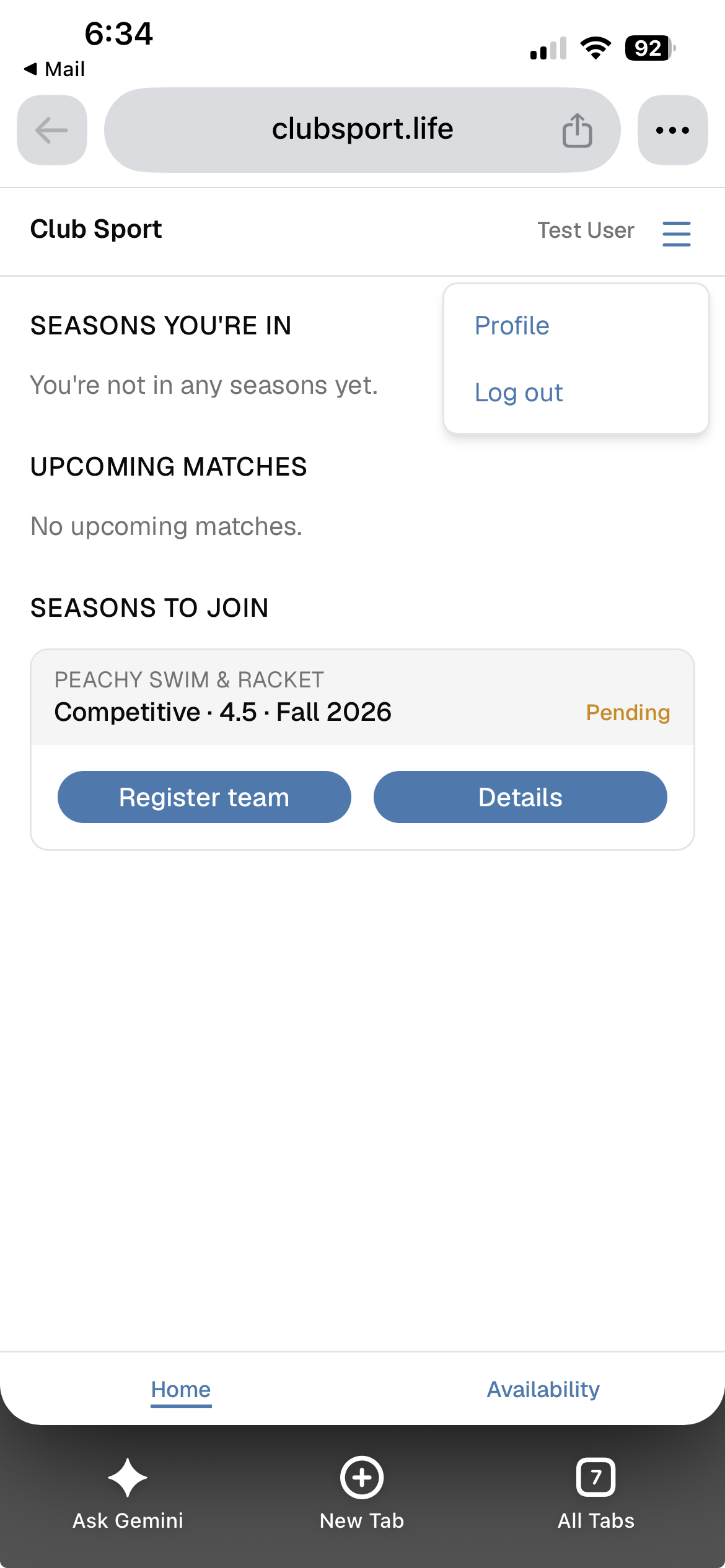
1. After signing in, the player opens the menu in the header and chooses Profile.
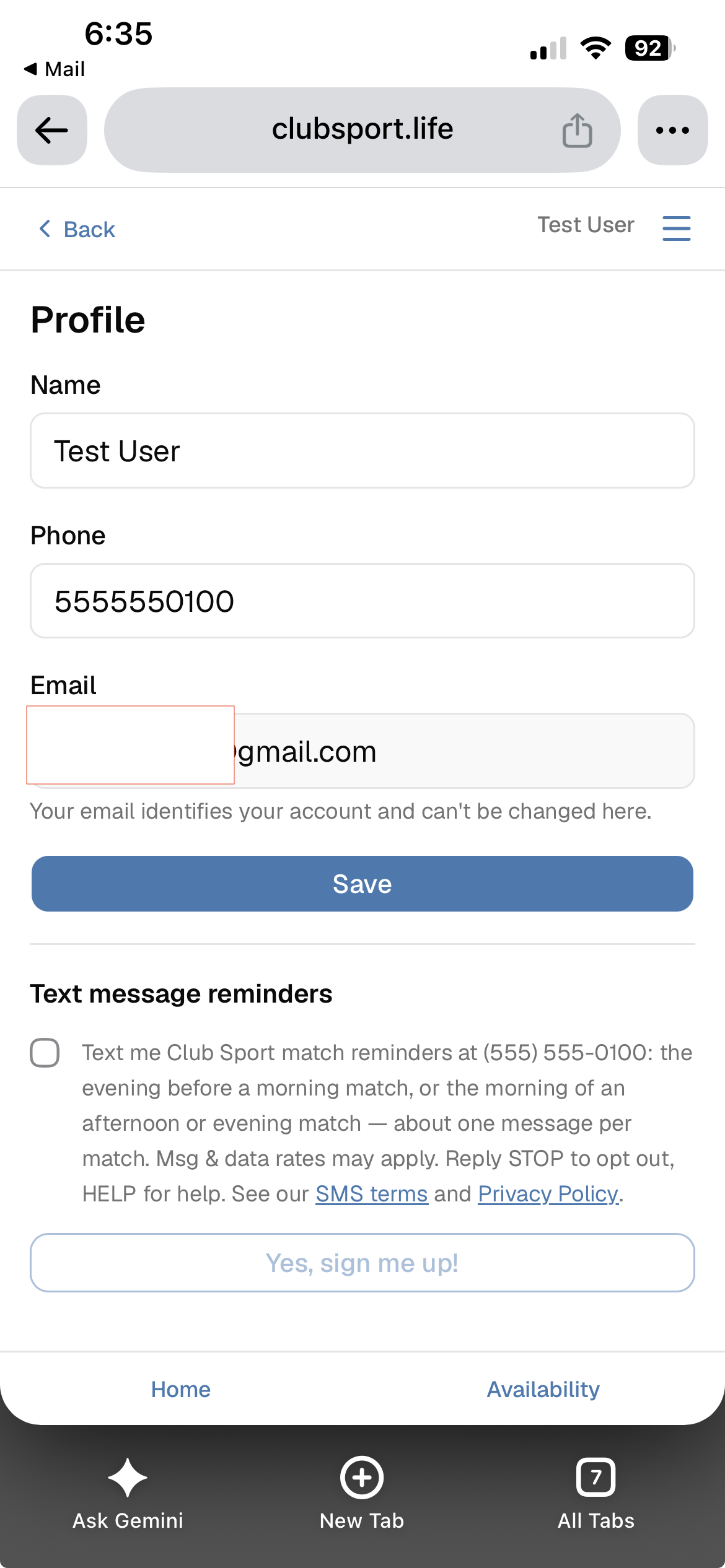
2. Under "Text message reminders", the box is unchecked and "Yes, sign me up!" is disabled. The consent wording links to the SMS terms and Privacy Policy.
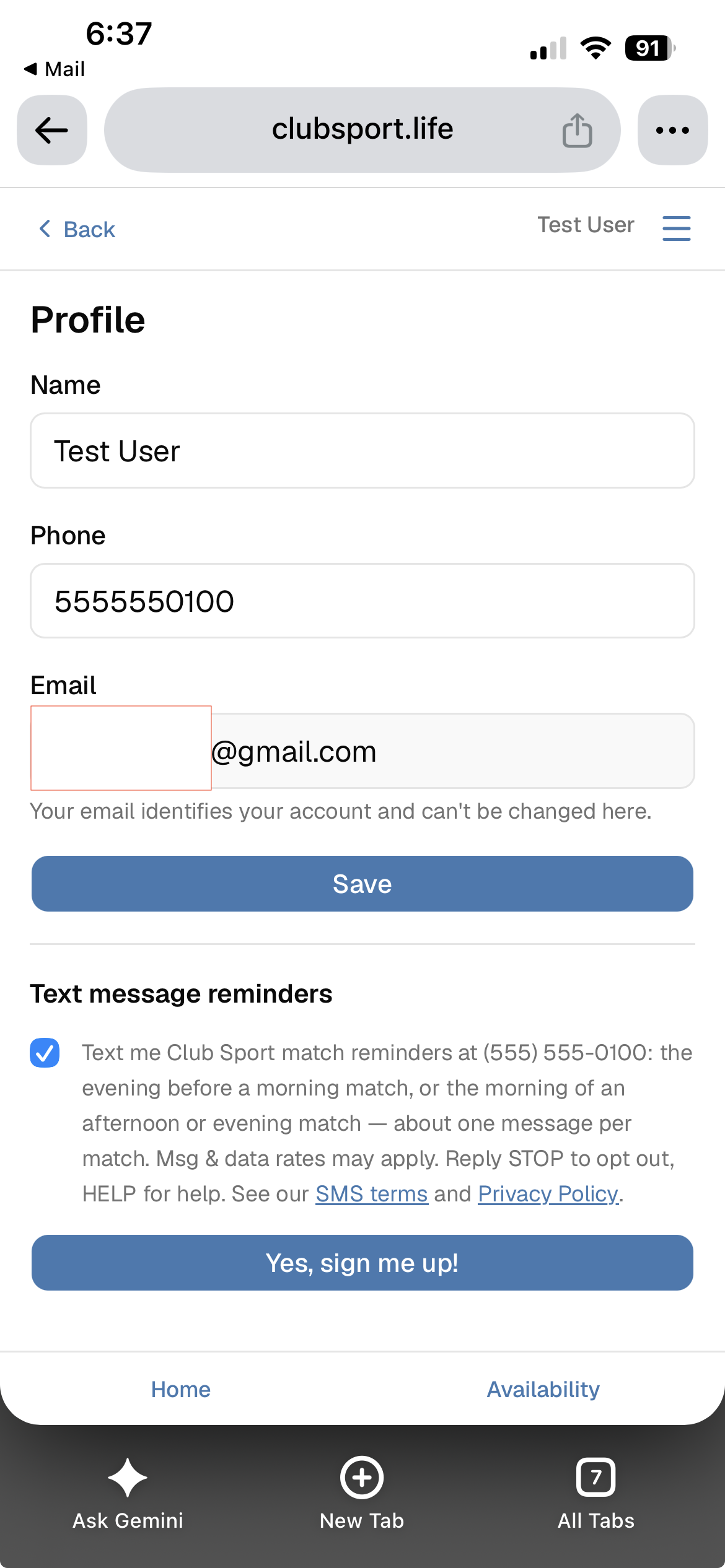
3. Checking the box enables "Yes, sign me up!". Nothing is recorded until the player presses it.
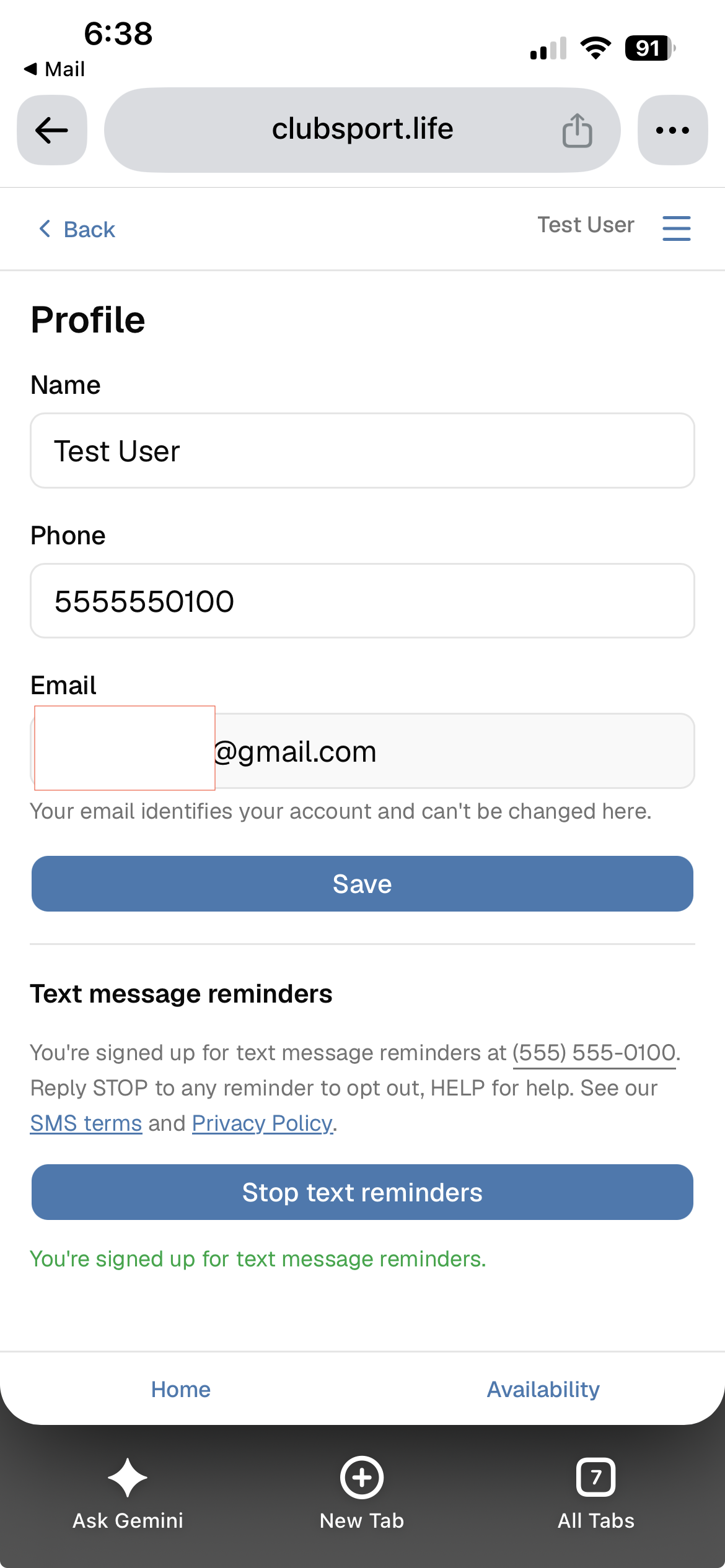
4. Signed up: the page shows the number reminders go to and a "Stop text reminders" button.
5. Right after signing up, the player receives one confirmation text (shown below).
Consent wording (exact text)
Text me Club Sport match reminders at (555) 555-0100: the evening before a morning match, or the morning of an afternoon or evening match — about one message per match. Msg & data rates may apply. Reply STOP to opt out, HELP for help. See our SMS terms and Privacy Policy.
The number is the player's own phone number from their profile.
Confirmation message (exact text)
Club Sport:
You're signed up for match reminders, about one message per scheduled match.
Message and data rates may apply.
Reply HELP for help, STOP to opt out.
The program
- About one message per scheduled match, reminding the player of it.
- Message and data rates may apply.
- Reply STOP to opt out, or press "Stop text reminders" on the Profile page.
- Reply HELP for help, or email igor.orlanov@logiforge.com.
- Full details: SMS terms and privacy policy.